new posts in all blogs
Viewing: Blog Posts Tagged with: kindle, Most Recent at Top [Help]
Results 1 - 25 of 302
How to use this Page
You are viewing the most recent posts tagged with the words: kindle in the JacketFlap blog reader. What is a tag? Think of a tag as a keyword or category label. Tags can both help you find posts on JacketFlap.com as well as provide an easy way for you to "remember" and classify posts for later recall. Try adding a tag yourself by clicking "Add a tag" below a post's header. Scroll down through the list of Recent Posts in the left column and click on a post title that sounds interesting. You can view all posts from a specific blog by clicking the Blog name in the right column, or you can click a 'More Posts from this Blog' link in any individual post.

By: Carolyn Napolitano,
on 10/13/2016
Blog:
OUPblog
(
Login to Add to MyJacketFlap)
JacketFlap tags:
Books,
Sociology,
publishing,
Education,
Technology,
digital,
kindle,
Barack Obama,
print,
ebook,
baron,
Linguistics,
ereader,
iPad,
*Featured,
Arts & Humanities,
Naomi S. Baron,
Words Onscreen,
Words Onscreen: The Fate of Reading in a Digital World,
Add a tag
Mark Twain is reputed to have quipped, “Reports of my death have been greatly exaggerated.” Such hyperbole aptly applies to predictions that digital reading will soon triumph over print.
In late 2012, Ben Horowitz (co-founder of Andreessen Horowitz Venture Capital) declared, “Babies born today will probably never read anything in print.” Now four years on, the plausibility of his forecast has already faded.
The post Will print die?: When the inevitable isn’t appeared first on OUPblog.

By:
Gerald Hawksley,
on 7/20/2016
Blog:
wonkyworks
(
Login to Add to MyJacketFlap)
JacketFlap tags:
doctor,
kindle,
kangaroo,
free ebook,
freebie,
free children's book,
free ebook for kids,
free children's kindle picture book,
free picture ebook,
Add a tag
It's FREE again! Hop along to amazon and get your FREE kindle ebook!
DOCTOR KANGAROO ON AMAZON.COM
DOCTOR KANGAROO ON AMAZON.CO.UK
Here is a (very short!) preview:
By: lynne,
on 3/26/2016
Blog:
(
Login to Add to MyJacketFlap)
JacketFlap tags:
Children's Books,
Books,
Humour,
Fantasy,
Author Interviews,
Children's book,
Book Promotion,
Kindle,
Lynne North,
Be Careful What You Wish For,
Crimson Cloak Publishing,
Add a tag
Thanks very much for the great interview provided by Paula Roscoe on her blog. Why not go on over and check it out? Paula welcomes all authors to appear on her fascinating blog.
Guest Author Blog
By: lynne,
on 2/12/2016
Blog:
(
Login to Add to MyJacketFlap)
JacketFlap tags:
Children's Books,
Books,
Humour,
Fantasy,
Children's book,
Book Promotion,
Kindle,
Lynne North,
Be Careful What You Wish For,
Crimson Cloak Publishing,
Add a tag
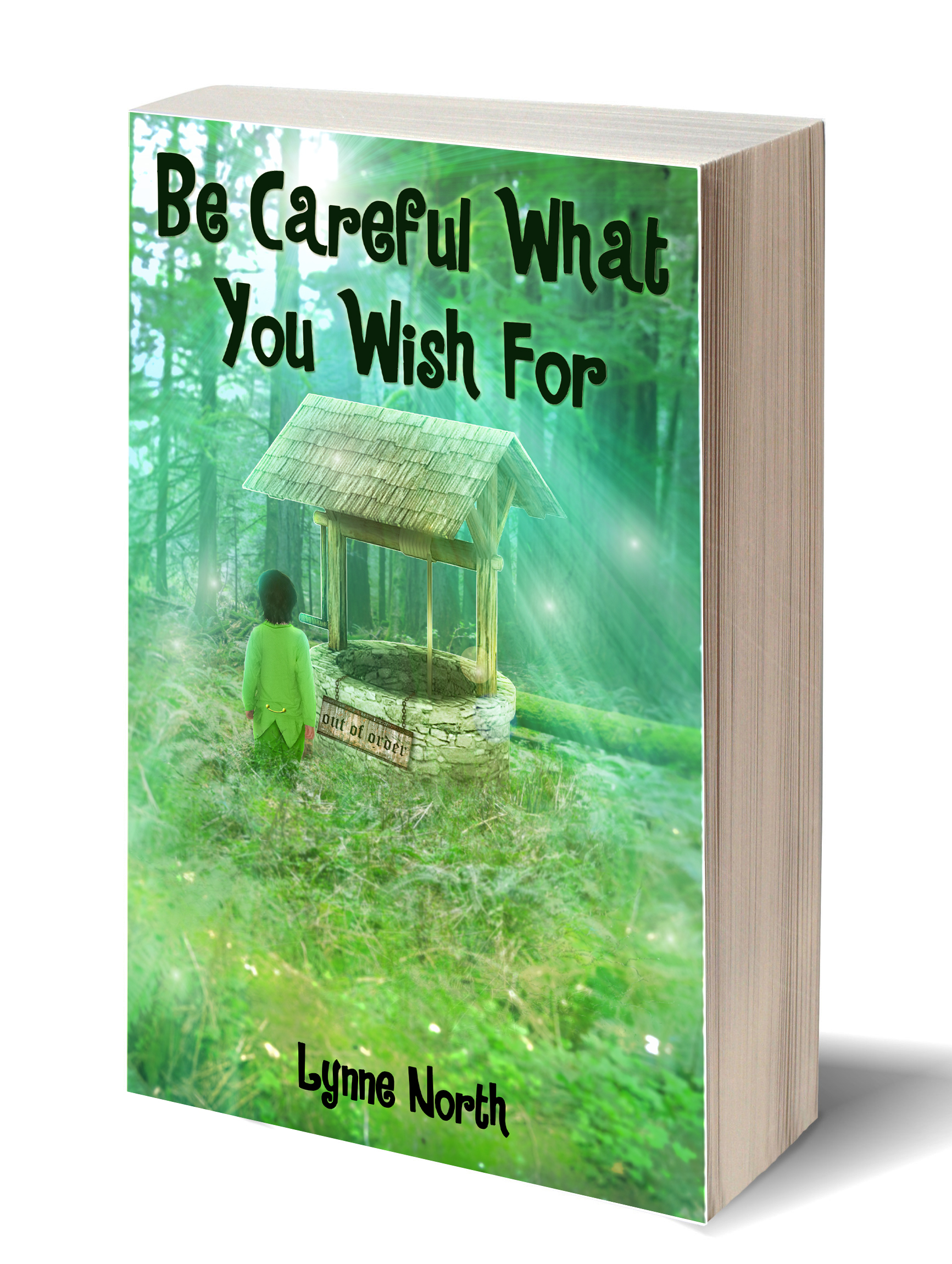
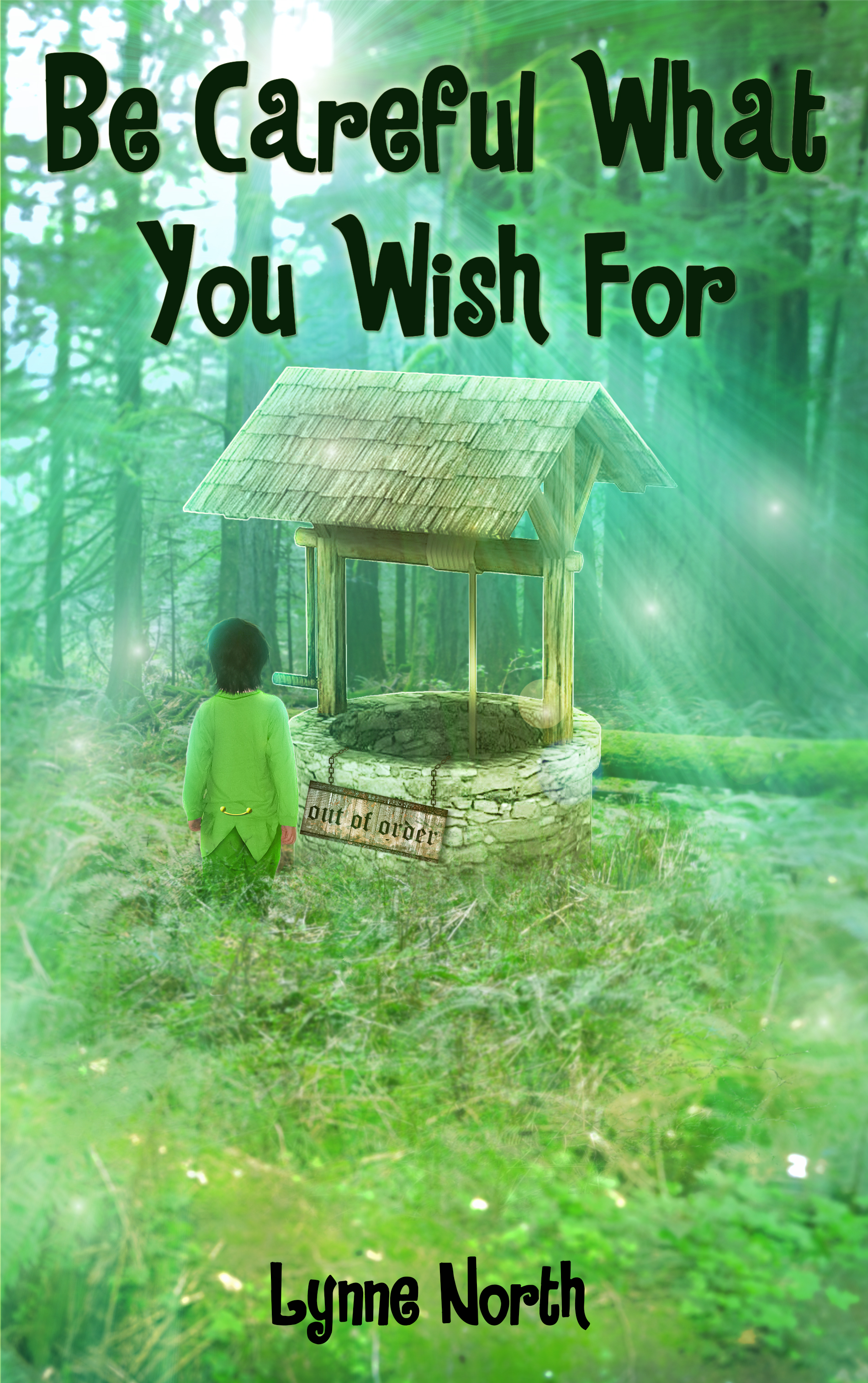
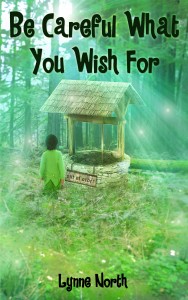
And here, for the first time, is the cover of my latest children’s humorous fantasy to be released during 2016 by Crimson Cloak Publishing!
Or at least a good swath of them, including my own Secret Teachings of a Comic Book Master. Dover’s line of smart reprints of little seen or unavailable comics from the past has been a surprising success, and now they are available on comiXology and Amazon’s Kindle Store. The line-up of available titles includes: A Sailor’s Story by Sam Glanzman […]
By: lynne,
on 1/1/2016
Blog:
(
Login to Add to MyJacketFlap)
JacketFlap tags:
Sword & Sorcery,
Lynne North,
Caution: Witch in Progress,
Zac's Destiny,
Crimson Cloak Publishing,
Emily and the Enchanted Wood,
Children's Books,
Books,
Humour,
Authors,
Fantasy,
Children's book,
Book Promotion,
Kindle,
Add a tag
Happy New Year to all those of you who have supported me in so many different ways throughout the year. 2016 should be a new beginning for me with my new publisher Crimson Cloak Publishing, and I’m hoping for a happy and successful relationship with them! Several books to be released this year, new as well as re-releases. Exciting times.
By: lynne,
on 12/24/2015
Blog:
(
Login to Add to MyJacketFlap)
JacketFlap tags:
Children's Books,
Books,
Adventure,
Humour,
Fantasy,
Short Stories,
Children's book,
Book Promotion,
Kindle,
Lynne North,
Crimson Cloak Publishing,
Add a tag
Here’s a great way to share your Christmas message!
Click on the link below to find out how.
Solve the puzzle to read the Christmas message!
All the best for Christmas and 2016, everyone! (The message you can solve is not this one!)
By: lynne,
on 12/10/2015
Blog:
(
Login to Add to MyJacketFlap)
JacketFlap tags:
Children's Books,
Books,
Humour,
Authors,
Fantasy,
Children's book,
Book Promotion,
Kindle,
Crimson Cloak Publishing,
Emily and the Enchanted Wood,
Add a tag
Would you like to know more about my new publisher and my books? If so please check out my author page!
Lynne North at Crimson Cloak Publishing
By: lynne,
on 11/17/2015
Blog:
(
Login to Add to MyJacketFlap)
JacketFlap tags:
Crimson Cloak Publishing,
Emily and the Enchanted Wood,
Children's Books,
Books,
Adventure,
Humour,
Fantasy,
Short Stories,
Children's book,
Book Promotion,
Kindle,
Add a tag
Check out the book trailer for this fantasy adventure for children!
When in the enchanted wood, Emily finds she has a surprising connection with her little dog and all of the other animals. When she discovers she needs to help rid the wood of marauding goblins, she must work with the animals to bring peace back to the woodland realm.
View on YouTube
Interview Rosita Bird
Hi all. Are you ready to meet another ‘Crimson Cloak Publishing’ author? Today, we meet Rosita Bird.
1) Do you write books as a career, or are you currently still juggling your author time with a full or part time job?
I am retired from Childminding and working at a nursery. I am hoping this will be a new career for me.
2) Have you always wanted to be an author, or did some time or event in your life set you on the path?
No. I had a mental breakdown in 2005 and as part of the therapy I went to a writing group which was mainly poetry. I enjoyed this. I then wrote my first book ‘Vegetables Count.’
3) Do you always write in the same genre, or do you sometimes like a change of theme? If you haven’t already, is there another genre you would like to write?
Yes. Most of my books are for young children aged between 3 – 7. I am hoping to write two in the future about my journey through mental health. Also a true story about my parents, how they met. This will need some research as it involves my grandfather who was taken to a camp by Nazi’s during the Second World War from occupied Holland.
4) As a writer, what is the best thing that has happened to you, and what is that most exciting thing that could happen to you?
I think possibly meeting John L. D. Barnett was good as he helped me get in with his publisher. He was originally going to do illustrations for me but he had a lot on and we had different ideas on illustrations for children. I have been congratulated by Jamie Oliver’s team for my healthy eating books for children and on their Pinterest site. I have also been endorsed by Simon Weston OBE. I have done two books for charity one local Animal Rescue Centre and Care After Combat.
5) How do you view the promotion, book signings etc. Is it something you enjoy, or do you prefer the writing stage?
I am quite shy and uncomfortable with that sort of thing. I have done it locally. Navigo (Mental Health in Lincolnshire) supported me on my first launch.
6) Could you tell us something about your published books, and let us know what they are about and where they are available?
The Rabbit Who Wore Glasses Smashwords link
Emma Tate and The Magic Plate (series to follow)
Link to Smashwords
Vegetables Count
Link to Smashwords
Link to Amazon
Fruits Count
Link to Smashwords
Link to Amazon
Charlie the Crocodile Who Couldn’t Catch A Cold (The Ark Animal Rescue)
Mummy Still Loves Me (a gentle book for children on mental health)
All these are in process with Crimson Cloak and presently with North Wall Publishing.
Rosita’s books on Amazon.
Link to Rosita’s books on Amazon
Rosita’s Facebook page
Rosita on Facebook
Books in process of illustrations are:-
Bobby’s Magic Wheels (hopefully a series)
The Elf’s Secret
Witch Wobblyknees and the Wibbly Wobbly Wand
Emma Tate Learns to Skate
Emma Tate and the Wriggly Bait
Emma Tate Gets Up Late
Emma Tate Gets Lost at the Fete
Mummy Still Loves Me to be re-illustrated
Sounds like you never have a dull moment, Rosita! It’s wonderful to have a career that you love so much. Long may you continue to produce such a varied collection of books. Lynne North.
Hi all. Hope you’re enjoying the Crimson Cloak Publishing author interviews!
With the release of his great page turner, The Doom Murders, today we meet the author Brian O’Hare
1. Do you write books as a career, or are you currently still juggling your author time with a full or part time job?
No, I only started writing books after I retired from full-time employment as Assistant Director of the Southern Regional College in Northern Ireland. So, no juggling, no career. Oh, that’s not quite true. Some juggling. I have to fit in three days of golf per week around any writing I do.
2. Have you always wanted to be an author, or did some time of event in your life set you on the path?
I have never actually intended to be a writer. When I was writing articles and reports relating to my profession that were being professionally published, it never occurred to me that I could be deemed a writer. Even when, early in my retirement, I was commissioned by the Department of Education and The University of Ulster to write book length reports, I still didn’t think that I was being a writer. I thought of myself as a researcher. I suppose when I wrote an account of my liver transplant – A Spiritual Odyssey – Spiritual Odyssey and found a publisher in Dublin, I thought, “Well, I’ve written a book. Maybe I’m a writer.”
My writing, if it can be described as that, has followed a strangely circuitous path. From writing articles for academic journals, I progressed to writing book length academic reports. From there, after a serious illness, I wrote to two religious books, one an autobiographic memoir, (A Spiritual Odyssey, see above) the other, The Miracle Ship – The Miracle Ship … a strange and incredible biography of a most extraordinary man, a miracle worker. Retired by now, and fancying a move to writing fiction, I was prompted by the widely-reported shenanigans of corrupt clergy in Ireland to write a contemporary fiction novel, Fallen Men. Fallen Men
And then, because my favourite genre for reading over the past several years has been crime thrillers, I thought I’d have a go at writing one of my own, et voila, there appeared The Doom Murders.
And now, there’s something happening in my writing life. I have found a publisher who is willing to publish all my stuff. Crimson Cloak Publishers is owned by a lovely lady called Carly McCracken. Carly liked The Doom Murders with its introspective but perspicacious Detective Chief Inspector Sheehan. She suggested a series. A series? Yeah, a series, and my immediate reaction was, ‘No way that’s possible. I’ve only written one detective book in my life. Where would I start?’
But guess what? I have completed Book Two of the Inspector Sheehan series: The 11:05 Murders. I thought initially I might have enough of a plot for about 50000 words but the final tally was 104500 words. Go figure! I am not sure when Carly will be able to get it out but I am hoping it won’t be much longer than about six or seven months from now. Not a soul has read it, not my wife, not any family members, not even the beta readers who were reading and commenting upon The Doom Murders during the process of my writing it. This time I wanted to hug the new story to myself. Don’t ask me why. Was it because The Doom Murders won a couple of awards and garnered 38 very positive reviews on Amazon.com and I’m afraid to let anyone see the sequel in case it doesn’t measure up? Maybe. Or as it because the plot this time is much more complex and I just wanted to be able to drift back and forward making multiple changes without having to reference them to anyone? That would probably be true. Or did I just want the thing to be whole and complete before anyone came to it? Whatever the reason, I am now totally without feedback. Other writers will recognise that that’s a scary place. Do I want feedback? Of course I do…but I’ll deal simply with Veronica Castle, Crimson’s Cloak’s indefatigable editor, and go by what she says. Fingers dutifully crossed…but that doesn’t mean that I’m not panickin’!
3. Do you always write in the same genre, or do you sometimes like a change of theme? If you haven’t already, is there another genre you would like to write?
As you would have gleaned from the answer to the last question, I have been jumping all over the place in terms of genres. But now that Crimson Cloak have specifically requested that I write a series of mysteries featuring Inspector Sheehan, I would say that I am pretty much settled on the crime fiction genre.
4. As a writer, what is the best thing that has happened to you, and what is that most exciting thing that could happen to you?
I believe that I mentioned earlier that I write in retirement. In many ways, that is a time of life when excitement isn’t a major factor in life. Nonetheless, I find the whole process of writing exciting, the challenge of completing a book and trying to give it that little edge that will make my work palatable to any reader. I got the fist glimpse of the preliminary draft of the cover for The Doom Murders a couple of nights ago. I experienced more than a twinge of excitement from that. Perhaps the most exciting thing that happened in recent times was being taken on by Crimson Cloak and being asked to write a series around a character that I admit I find interesting (even if I still don’t know him all that well.) Oh, I almost forgot. Three of my books have won awards (I won’t go into detail about them here) and one, The Doom Murders, has won three awards. That was a wee bit exciting. Oh, another thing. (That’s what happens when you start approaching a certain age…you start forgetting things.) Carly McCracken of Crimson cloak has asked me to set up a little marketing campaign to coincide with the launch of The Doom Murders (probably within a month from now). Solve the Mystery; Win a Prize. This whole process is exciting and continues to be. I offer now a brief explanation of what it is.
I have sent Carly a scenario that sets up the scene, provides background information, introduces the characters/suspects, and, at the end of this introduction, a murder takes place. This information will be offered to the general public via FaceBook, twitter, and various blogs. Each day thereafter further clues will be provided through a series of interviews with each of the suspects conducted by Inspector Jim Sheehan, one interview per day for five days. At the end of the sixth day, readers will be asked to identify the murderer, explain what clues led them to this conclusion, and write in detail how they believe the murder was carried out. Answers will be sent to a specific email address rather than posted on FaceBook for others to see. The three best answers (along with a complete explanation of how Sheehan solved the crime) will be published a day or so after the competition ends, and winners will each receive a copy of the newly printed The Doom Murders.
I’m a writer now. The answer to the second part of the question is what you Americans call ‘a no brainer’. The most exciting thing that could happen to me is to see people buying my books in numbers. I have had a slight taste of that with one of my non-fiction books, The Miracle Ship. 3000 copies printed and sold in the year or so that it has been in print, and still selling steadily away. Not huge numbers, certainly, but round enough to be vaguely gratifying.
5. How do you view the promotion, book signings etc. Is it something you enjoy, or do you prefer the writing stage?
I have never actually done a book signing. I would be terrified that I’d be sitting there all day and no one would turn up. The stuff of nightmares. Marketing, promotion, and all that goes with it is a chore, often costly, and seldom produces the results that are hoped for. Entering competitions has turned but to be a better bargain than I thought. The books that I have entered have all won awards of some sort. Not Pulitzers by any means, but recognition of sorts. Tweeting (and I have paid for, or won, dozens and dozens of them each week for I don’t know how long now) seems to be much less effective in persuading people to buy books than the ‘professional tweeters’ would lead one to believe. Marketing is hard. I would just love only to write and leave the marketing to the publisher and have nothing to do with it. But that’s not how the game is played. And so we keep trying.
6. Could you tell us something about your published books, and let us know what they are about and where they are available?
I’ve probably jumped the gun a bit on this one in my answer to question two. There are two very detailed explanations that offer information about how I came to write Fallen Men and The Doom Murders. It would take too long to recount these stories here. If anyone is interested, they can read them at this link: Blog
Briefly, however, Fallen Men Fallen Men is the story of three priests, focusing on one in particular. He is a handsome young man whose life spirals out of control when long-submerged memories of childhood abuse begin to surface. He seeks solace in a friendship with a beautiful seventeen-year-old-choir girl but this leads to a doomed love affair that ends in disaster. Fallen Men is to be published by Crimson Cloak Publishing in paperback later in 2015. It can be read on kindle, however, right now.
In The Doom Murders The Doom Murders prominent figures in Belfast are being murdered. The bodies are left naked and posed in grotesquely distorted shapes. No clues are left at the forensically immaculate crime scenes except odd theatrical props and some random numbers and letters concealed at each scene by the killer. How are the victims linked? What is the connection between these killings, the bible, and a famous mediaeval painting of The Last Judgement? Chief Inspector Jim Sheehan is stretched to his limits in the quest to unmask and stop this killer. The Doom Murders is out now in paperback from Crimson Cloak for the run-up to Christmas, 2015.
Great answers, Brian! Thanks very much for taking the time to introduce us to your fantastic books. As the proud owner of a signed copy of The Doom Murders I am really enjoying reading it! Lynne North.
Interview Cynthia MacGregor
Hi all. Here we have another ‘Crimson Cloak Publishing’ author interview! Today, we meet Cynthia MacGregor.
1) Do you write books as a career, or are you currently still juggling your author time with a full or part time job?
I have been a full-time freelance writer/editor for more years than I can count, but just this year I took on some pretty heavy if part-time responsibilities for a publisher of children’s books, including but not limited to editing, which led to my being named publisher of a new imprint of that company, which aims at an audience of adults.
That said, however, the writing portion of my freelance writing/editing was never just books. I have been hired by clients to write such diverse items as press releases, web copy, business letters, scripts for promotional videos, ads, a marriage proposal (!), poetry, and—logically enough—ghostwritten books. (Whew!) And that’s not a complete list, either.
My editing encompasses both books and other materials, and the book editing I do has been both for authors and for publishers. In spite of all this other work, though, I have managed to get over 100 books published (don’t ask me the exact number—I stopped counting at 100), and, like the Energizer Bunny (whom I’m often compared to), I’m still going.
2) Have you always wanted to be an author, or did some time or event in your life set you on the path?
I have always loved writing, from the time I could spell C-A-T, but my childhood ambition, up through my junior year of high school, was to act on the Broadway stage. Unfortunately, I had Tourette Syndrome, which was totally misdiagnosed. It wasn’t till I was in my early 30s that I finally knew what my problem really was. So anyhow, in my junior year of high school, I tried out for the junior class play (the junior and senior classes put on plays for fund-raisers; the freshman and sophomore classes sold magazine subscriptions) and lost out on the lead (or any part at all) because of my mis-diagnosed medical problem. Tradition held that the morning the parts were announced, those selected would find a script on their homeroom desk. There was never, however, any recoourse if you were not selected, nor any explanation given. In a break with tradition, the faculty advisor to the play sought me out the morning the parts were given out and explained that although I had read best for the part, they were afraid to give me the part because of my “condition” and had instead awarded the lead to my arch-rival. I got no part at all.
It was a stunning blow. In that one instant I realized that if I couldn’t even get a part in the junior play in high school, I had no hope of making it on Broadway. I knew then that I had to re-think my career choice.
Writing had always been my second love, but resultant from the crush of being passed over for the play, and because I was made fun of by some of the kids in school, my self-confidence sagged. I wasn’t sure I had what it took to be a writer. It took a few years before I started to take my craft seriously and attempt to sell my work.
3) Do you always write in the same genre, or do you sometimes like a change of theme? If you haven’t already, is there another genre you would like to write?
Good grief—if you’ll check out my website at www.cynthiamacgregor.com, you’ll see that I’m all over the place in terms of genre. In the first place, I never wanted to be a one-trick pony. And in the second place, I can’t think of any subject on which I could have written over 100 books! I write for both adults and kids, and both nonfiction and fiction—and cookbooks, which are assuredly nonfiction but feel like they’re a separate category unto themselves.
Although my writing is diversified, I think that nonfiction for adults comprises the largest segment of my output.
There is a downside to such diversification, however: It’s harder to build a following when your work is all over the place like that. Just because someone likes my nonfiction for adults doesn’t mean they’re going to want to read my novels, or vice-versa, and just because a parent appreciates some of my books that his/her kids are enjoying doesn’t mean he or she is going to read my nonfic works for adults. Even strictly within adult nonfiction, someone inspired by one of my inspirational/motivational books (e.g. Don’t Quit While You’re Ahead or What’s Stopping You?!) isn’t necessarily going to want to read my humor (e.g. Life Behind the Office, Dust Bunnies Ate My Socks, or Betcha Didn’t Know). And so on.
4) How do you view the promotion, book signings etc. Is it something you enjoy, or do you prefer the writing stage?
I enjoy meeting the reading public as well as fellow authors and emerging authors, but a lot of the aspects of promo, especially arranging for the promo, are a PITA. For example, I enjoy the book-signings, and public speaking, and talking to the attendees, but I loathe the endless hours spent trying to arrange the signings, readings, speaking engagements, radio/TV spots, and such, and the frequent turn-downs or simply no-responses.
I am on the board of an organization called 4 Authors by Authors (read the “4” as “For”), serving established, emerging, and hopeful authors in South Florida (my home territory), and I have been tapped as a speaker at both of the all-day events the organization has held so far. I enjoy addressing the attendees and giving them talks that are both informational and motivational. These appearances are more likely to land me ghosting gigs or editing gigs than to sell tons of books, but it’s all good.
I am comfortable doing public speaking. (Comfortable? Hell, I enjoy it!)
I guess I enjoy both the writing and the appearances, but not the time spent chasing all those people who might (but probably won’t, in most cases) give me a write-up, a broadcast interview, or a chance to promote my books in some other venue.
5) Could you tell us something about your published books, and let us know what they are about and where they are available?
LOL—you really don’t want me to list ’em all, do you? Of course, some of my books are out of print by now, but some are in their second lives. Having gone out of print with the rights reverted to me, they have been repubbed in some cases. All the ones still in print or re-pubbed are available on Amazon.com, and you can read more about all of them on my website: www.cynthiamacgregor.com.
Three of my recently published books are:
Don’t Quit While You’re Ahead, motivational/inspirational. Crimson Cloak Publishing. Why stop just because you’re successful or have accomplished what you wanted to in life? There is more success to be had, more worlds to conquer, more satisfaction waiting for you. Grab it—it’s yours for the taking!
Don’t Quit While You’re Ahead
Everybody’s Little Book of Everyday Prayers, non-sectarian religious. MSI Press. Regardless of what your religious affiliation is, or if you have none at all, if you want to commune with your Creator and turn everyday occasions into special occasions and recognize special occasions through prayer, here are the words you are seeking—for both adults and their kids.
Everybody’s Little Book of Everyday Prayers
Heartfelt, the Special Reindeer, picturebook for kids who still believe in Santa. AcuteByDesign. Heartfelt is not only a “special” reindeer, with the power to see inside people’s hearts and know their most heartfelt wishes; she is also a “special needs” reindeer: Her rear legs are way shorter than her front legs, and her back slopes sharply downward. Heartfelt’s own most heartfelt wish is to be a regular member of Santa’s team and not just one of his “backup reindeer,” who join the team only if one of the regulars gets sick. Meanwhile, Santa is very troubled because of a sad little boy named James. Can Heartfelt solve Santa’s problem with her special talent? This heartwarming story introduces a new character, Heartfelt, to the Santa legend. Heartfelt is sure to win your heart.
Heartfelt, the Special Reindeer
All these books and many more are available on Amazon.com or through my website, www.cynthiamacgregor.com
Thanks so much for such an honest and interesting look into your life, Cynthia. You clearly have a great dedication to writing, and such a varied collection! Best of luck for continued success. Lynne North
.jpg?picon=107)
By:
Lizzy Burns,
on 11/4/2015
Blog:
A Chair, A Fireplace and A Tea Cozy
(
Login to Add to MyJacketFlap)
JacketFlap tags:
2015,
science fiction,
reviews,
horror,
historical fiction,
Gothic,
kindle,
Egmont USA,
2014,
Jessica Verday,
Add a tag
Of Monsters & Madness by Jessica Verday. Egmont USA. 2014.
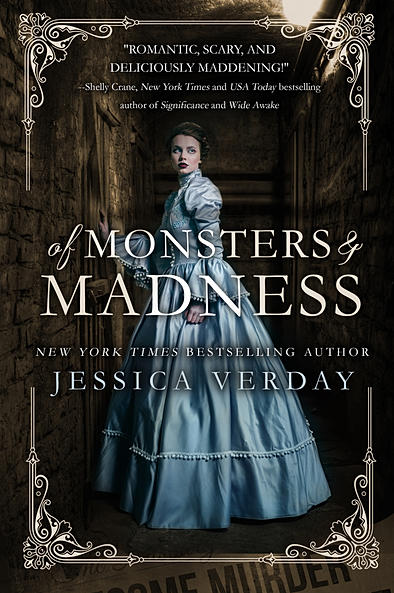
The Plot: It's 1824 and Annabel Lee, 17, has moved to her father's death following her mother's death. The world of Philadelphia, and her role of daughter of a doctor, is very different from a childhood spent in Siam. She lacks the freedom she had there.
There are secrets in her father's house -- including her father's two assistants, handsome Allan and cruel Edgar. Including her father's scientific experiments.
And there are the gruesome murders....
The Good: I'll be honest: I read Of Monsters and Madness about a year ago, when it first came out, enjoyed it, but just didn't get around to writing anything up.
Then I saw the movie Crimson Peak (review tomorrow) and began to wonder about possible read-a-likes for teens who may go see the movie and want a taste of Gothic horror and romance. And I remembered Of Monsters and Madness.
The setting, early nineteenth century Philadelphia, is wonderfully shown; Annabel is a strong young woman who has been raised away from her father and his family. She wants to connect with them and please them, but her desire for independence and to pursue studying is at odds with their perceptions of what a proper young lady is. Plus, Edgar Allen Poe as a hot young man!
And plus there are references / homages to works by Poe as well as other writers. So this can lead to wanting to read more Poe, and Robert Louis Stevenson, and Oscar Wilde.
Of Monsters and Madness was published by Egmont USA, which, sadly, no longer exists. So when I went to the author's website to write this post, I was very pleased to learn a few things: first, that it's available on Kindle; second, that for a limited time it is $1.99; and third, that Verday has included the sequel, Of Phantoms and Fury, in the Kindle edition so you are getting two books for one.
Amazon Affiliate. If you click from here to Amazon and buy something, I receive a percentage of the purchase price.
© Elizabeth Burns of A Chair, A Fireplace & A Tea Cozy


Out today on Smashwords published by Crimson Cloak Publishing, soon to be released on Amazon Kindle then in paperback. Charity anthology of children’s stories, including two short tales of mine! ALL proceeds to charity. Makes a lovely stocking filler.
Buy here on Smashwords
Hi all. Hope you’re enjoying the ‘Crimson Cloak Publishing’ author interviews! Today, we meet Peter Streitz.
Do you write books as a career, or are you currently still juggling your author time with a full or part time job?
If you mean by career . . . is writing the only truly productive thing I do then the answer is yes. If you mean is writing what I do for a living and\or income—then the answer is no. HouseHusbandry is my formal occupation. My employer is a female business executive.
Have you always wanted to be an author, or did some time or event in your life set you on the path?
The person I didn’t know always wanted to be a writer. But the person I did know became a corporate man in the computer industry. Then some thirty years ago the person I didn’t know viciously attacked the person I did know—in a life and death struggle—forcing the known into act of professional suicide . . . only to be saved and resurrected in the world of the unknown. i.e. authorship
Do you always write in the same genre, or do you sometimes like a change of theme? If you haven’t already, is there another genre you would like to write?
When it’s literary fiction the theme is always me, you, and the other . . . meaning it’s always reality as fiction– which pretty much covers every genre, except cookbooks.
As a writer, what is the best thing that has happened to you, and what is that most exciting thing that could happen to you?
Best: that I married an insanely dedicated patron and the fates planted Carly McCracken along my path. Most exciting: make them both happy.
How do you view the promotion, book signings etc. Is it something you enjoy, or do you prefer the writing stage?
I’m extremely excited about taking any stage with my writing and signing anything that promotes my hellaciously written words.
Could you tell us something about your published books, and let us know what they are about and where they are available?
My book of poetry HELLFIRES SHAKE THE BLUES is verse that kills the poetic flies of fantasy with the cannonballs of the street.
Buy from Crimson Cloak Publishing
Buy from Amazon
Buy from Smashwords
They’re also at Barnes and Noble, Apple through Smashwords, and BooksAMillion and other places by being on Amazon, but there are too many places to list.
My novel PAST OZ is about—where we all end up in our lives—when we’ve had enough life experience to actually decide the direction we have always wanted (consciously or subconsciously) to go regardless of our inherited race, creed, color, coincidences and\or circumstances . . . both fortunate or unfortunate. PAST OZ is one man’s break from what he and those in his sphere, most solemnly, believe to be his lot in life. And going PAST OZ is that second, self-determined, shot at life regardless of all prevailing wisdoms within ones world.
Buy from Amazon
Thanks for your impressive and amusing answers, Peter. Here’s hoping your success not only continues, but grows too! Lynne North
Hi all. Hope you’re still enjoying the ‘Crimson Cloak Publishing’ author interviews! Today, we meet Barbara Weitzner.
1) Do you write books as a career, or are you currently still juggling your author time with a full or part time job?
I am retired and have started writing as a means to fill my time
2) Have you always wanted to be an author, or did some time or event in your life set you on the path?
It took me eighty years to discover I wanted to write.
3) Do you always write in the same genre, or do you sometimes like a change of theme? If you haven’t already, is there another genre you would like to write
I have written three novels, approx 15 short stories (some of which have been published, one which came in third in Writer’s Digest 2015 contest. Every story uses a different genre.
4) As a writer, what is the best thing that has happened to you, and what is that most exciting thing that could happen to you?
As a writer, the best thing that has happened to me is joining a writing group and meeting some really wonderful, talented writers.
5) How do you view the promotion, book signings etc. Is it something you enjoy, or do you prefer the writing stage?
The promotion is not enjoyable. I do not like to talk about myself, prefer creating interesting characters and unusual situations.
6) Could you tell us something about your published books, and let us know what they are about?
My three published novels are available on Amazon, kindle, nook and e-book.
The Most Glorious Thing Ever-
Building a successful advertising agency has crowded out Jack’s sons and his feelings for them are more of exasperation and disappointment than of pride. Jack loves his wife, but has spent his cheerless life stumbling through sexual frustration and knows nothing of passion or deceit, until he embarks on a love affair with Lilly Lowery, canny, bawdy, thrice-divorced, and twenty-nine years his junior. Jack hires Lilly to represent a major new account at his advertising firm. Soon, Lilly has the office personnel sprinting back and forth to meet her demands. Jack finds himself being pulled further and further into Lilly’s world.
But all cheaters cause chaos. Jack learns there is no pleasure without a price. The longer his deception, the easier that deception becomes, until, in the end, it is his deception that forever alters his life.
The Most Glorious Thing Ever
A NEW START-
You plan your life, you look forward to retirement.
To those who have dreamed of this time—and who has not?—you will find all that is human unfolding in this portrait of three couples— each with their own irresistible appeal, dark and painful secrets, deceit and courage. Each struggles to recover lost happiness in a new setting.
Ben and Sara Horne have lived a life without gratifying sex.
Dominick and Valerie Califano suffered a crushing financial setback.
An incalculable weight has crippled the marriage of Neal and Isobel Storrie, the bitter knowledge that Neal failed to protect his son from harm.
What happens when they meet and become friends and to what extraordinary degree their dreams become matching ones, is the main subject of my, plot.
A New Start
THE PARRADINE ALLURE-
Angel Califano has planned her life, laid it out with precision. But what she doesn’t expect is every possible circumstance.
It is through her zeal for fame and wealth that Angel, Public Defender for the District of Colombia, attempts to define herself by marrying into a prominent Washington family. But the Parradine family does not accept her. Compounding her unhappiness, Angel realizes she is being stalked by a felon she has defended. Her marriage becomes a lie when she takes her only ally, her husband’s brother, as a lover, and learns that there is no illicit pleasure without a price paid, no protection from catastrophe.
The Parradine Allure
Wow! You have done so well after your late start as a writer. I admire your decision to follow your heart and make such a go of it! Hope you continue to love writing so much. Lynne North.
Hi all. Hope you’re enjoying the ‘Crimson Cloak Publishing’ author interviews! Today, we meet Paula Roscoe.
1) Do you write books as a career, or are you currently still juggling your author time with a full or part time job?
I write part time purely because I have a daughter with Autism and Dyspraxia so I can only write when she is in school. I also hold regular healing workshops so it takes time to organise and facilitate those. I consider myself as an author and it is a career I have decided upon, however everything else is important to me and so I try to focus fifty- fifty on my career as an author and workshop facilitator whilst being Mum, wife, goddess the rest of the time! For now I am happy and that’s what’s important.
2) Have you always wanted to be an author, or did some time or event in your life set you on the path?
As a fourteen year old I had been writing short stories for years but also enjoyed massaging and messing around with make-up. I couldn’t decide which path to take, so flipped a coin, beauty therapy won. I became a holistic therapist but writing never went away. It wasn’t until the death of our son eighteen years ago that I began to focus my life into writing. The peace and joy I get from it as I delve into my imagination cannot be described; however I am also glad I am a therapist and counsellor as it helps me with all aspects of my life. It’s wonderful having variety.
3) Do you always write in the same genre, or do you sometimes like a change of theme? If you haven’t already, is there another genre you would like to write?
My main theme is supernatural and historical. I love all things spooky as I am a medium, so it’s always been a part of my life. History is fascinating to me. Being adopted I don’t have any history past my 44 years so I love delving into other people’s!!
I do occasionally like to have a go at short stories that have nothing paranormal in them which always surprises my husband! I am also finishing a novella titled ‘Diary of Margery Blake’ which isn’t supernatural, but follows the life of a woman in the 19th century when women were mere pawns in rich family’s affairs.
4) As a writer, what is the best thing that has happened to you, and what is that most exciting thing that could happen to you?
Gosh, so many wonderful things happen, it’s hard to choose one! Possibly the day ‘Echoes’ won the Paris book awards for the best e-book – that was pretty wonderful. Being taken on by two American publishers is also brilliant, but every time a reader contacts me or comes to a book signing and tells me one of my books made them feel an emotion – that is probably the best.
I’m working on Echoes screenplay – to have it made into a film or two part drama would be a dream come true, so I keep sending out positive thoughts because so many people have said it would make a brilliant film – so Ron Howard, get in touch!
5) How do you view the promotion, book signings etc. Is it something you enjoy, or do you prefer the writing stage.
I love the writing stage obviously. I could lose myself in my head all day if I didn’t have other responsibilities! I am terrible at marketing, but I love to contact other authors, swop reviews, be interviewed by kind people and somehow, it works. I’ve been on radio shows in America and have one coming up in my own county of Flintshire, North Wales on 25th. I’ve been in lots of magazines and blogs and met so many wonderful people. However, book signings and chatting to people is my favourite. I meet the readers who have honoured me by buying my book, it is humbling and I get emotional just thinking about it.
6) Could you tell us something about your published books, and let us know what they are about and where they are available?
Echoes is a supernatural thriller set in a fictional village outside of Shrewsbury, England. It moves between present day and 15th century when Henry Tudor claimed the throne. There were many casualties of war, but some refuse to be forgotten.
Bronwen Mortimer moves to a secluded cottage hoping to start a new life after suffering years of abuse, but the echoes of the land will not lie quietly and when she witnesses a horrific murder, she must face the past and win to have any chance of living in the present.
Link to Echoes
Freya’s Child is a paranormal, historical fiction set on the Wirral. England. What would a parent do to save their child? Fight the dead? Defy the gods?
Helen Gunn moves to Frankby, England with her estranged husband Robert and their young daughter Charlotte in an attempt to save their marriage. When Charlotte starts talking with invisible friends and dark shadows roam the house, Helen must face her worst nightmare and win.
Einaar had never questioned the old ways, but when his child is accused of bringing death to his village, he must face the wrath of his people to save his family.
An archaeological dig has unearthed a Viking village. The gods have woken.
Link to Freya’s Child
Adventures of Faerie folk – Volume one is a magical collection of four faerie stories for young children. Each story teaches morals and how to live in harmony with nature – or there will be consequences!
I wrote these stories plus many more for my daughter when she was younger. I wrote ‘The Rose Faerie’ for her to show her that being different is okay.
All books are available on Amazon. Echoes is also available on CFA website and will soon be available in various retail stores in America. Freya’s Child will also soon be available on Crimson Cloak Publishing.
Link to Adventures of Fairy folk
They sound fascinating books, Paula. I’m intrigued too by the fact that you are a medium! The supernatural is a great interest of mine. Best of luck with all your writing! Lynne North.
Today starts a series of interviews with fellow authors of Crimson Cloak Publishing. Hope you enjoy their interviews! First we meet Jane Finch.
1) Do you write books as a career, or are you currently still juggling your author time with a full or part time job?
After working for over thirty years and dreaming of the time I could retire and just write – I am now living the dream!
2) Have you always wanted to be an author, or did some time or event in your life set you on the path?
I’m not sure I always visualised it as being an author, but I have always needed to write. Even from a young age I would sit and write stories rather than go out to play with other kids my age. When I had my son I used to take him into the local forest to watch the squirrels. I would make up stories about what they were doing and then he asked me to write them down so he could read them and I decided to write my first book – which was about squirrels.
3) Do you always write in the same genre, or do you sometimes like a change of theme? If you haven’t already, is there another genre you would like to write?
I started out writing children’s books and then decided to try my hand at writing adult novels. I now have sixteen published books including crime thrillers, historical, children’s and a book of comical poems about chickens!
4) As a writer, what is the best thing that has happened to you, and what is that most exciting thing that could happen to you?
It has to be my first book, which was published by a traditional publisher back in 1998. The thrill of holding the book was incredible. It’s a children’s animal adventure and I’ve scripted it so the most exciting thing that could happen is that it would be made into an animated film.
5) How do you view the promotion, book signings etc. Is it something you enjoy, or do you prefer the writing stage?
This is the hardest for me. I prefer to sit in a quiet room and just write and am not comfortable with self-promotion. I have done some radio promotion and I don’t mind writing some press releases when a new book comes out, but I struggle to put myself out there. I even cringe if I post my book on Facebook. I’m not an ideal candidate for a literary agent or a publisher who expects massive self-promotion.
6) Could you tell us something about your published books, and let us know what they are about and where they are available?
Well, as there are sixteen I don’t want to bore your readers with listing all of them, but they are all on my website http://www.finchlark.webs.com/ I teamed up with an illustrator and we produced a number of children’s picture books; then there are three crime thrillers one of which – The Black Widows – I am scripting. My most recent book is something I have always wanted to write – a Christmas special. Twelve Days to Save Christmas has a little bit of magic and a shape-shifting elf, a mean mayor, and lots of animals. It’s published through Crimson Cloak Publishing. All my books are on Amazon. Twelve Days to Save Christmas
Thank you, Jane. I had the pleasure of reading your Christmas book, and a lovely tale it is. What an accomplished writer you are! Wishing you continued success. Lynne North
Enter to win an autographed copy of All the Other Nuggies, written by Jeff Minich, and a Fire HD 6 Kids Edition Kindle!
Giveaway begins September 10, 2015, at 12:01 A.M. PST and ends October 9, 2015, at 11:59 P.M. PST.
Add Blask Mask to the list of publishers who will be available on both ComiXology and Amazon’s Kindle Store. Starting today you can read titles such as We Can Never Go Home, Godkiller, Space Riders, Ballistic, The Disciples and upcoming titles Young Terrorists and Sinatoro by Grant Morrison and Vanesa del Rey. Black Mask launched a […]
By: lynne,
on 8/13/2015
Blog:
(
Login to Add to MyJacketFlap)
JacketFlap tags:
Children's Books,
Books,
Book Awards,
Fantasy,
Short Stories,
Children's book,
Book Promotion,
Kindle,
Unlucky For Some,
Add a tag
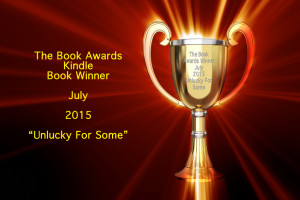
And the winner of The Book Awards top Kindle book for July 2015 is…
By: lynne,
on 7/11/2015
Blog:
(
Login to Add to MyJacketFlap)
JacketFlap tags:
Lynne North,
Be Careful What You Wish For,
Crimson Cloak Publishing,
Publisher,
Children's Books,
Books,
Humour,
Authors,
Fantasy,
Book Promotion,
Kindle,
Add a tag
I am delighted to say I have been taken on by a new publisher for my latest children’s humorous fantasy, ‘Be Careful What You Wish For’
”Finn is a bored young leprechaun who lives a quiet life with his family and friends in the sleepy village of Duntappin. He wants something exciting to happen, but never having been blessed by the Good Luck Fairy he soon gets far more than he bargained for. When he least expects his adventure to begin, Finn finds himself a long way from home in dire circumstances. Home begins to seem very appealing all of a sudden. Has he any hope of getting back? This is no fairy tale…
This funny and fast moving story filled by weird and wonderful characters will turn all your expectations on their head, but that’s a good thing, because it makes them all the more amusing’
My new publisher is the American based ‘Crimson Cloak Publishing’ The following extract is taken from their website.
‘Crimson Cloak Publishing was created by people who care about our authors, editors, artists, and customers. For without them, we could not exist.
Crimson Cloak Publishing is a new and exciting voice in the publishing industry. Our main goal is to provide quality literature to our audience at a fair price. We publish soft-covers and e-books, currently. Audiobooks and hard cover will come later.’
Click on the link below to check out the great books for sale!
http://www.crimsoncloakpublishing.com/main_page.html
 Amazon is changing the way it pays authors royalties for participation in its Kindle Unlimited e-book lending library. The new model is less favorable for authors.
Beginning July 1, Amazon will no longer pay royalties on books that were downloaded and read at least 10 percent through the program. Instead they will only pay royalties on pages that are actually read. “We’re making this switch in response to great feedback we received from authors who asked us to better align payout with the length of books and how much customers read,” Amazon explains on the KDP site. “Under the new payment method, you’ll be paid for each page individual customers read of your book, the first time they read it.”
Melville House points out that this is unfair to authors as “an author with a traditional publisher will receive royalties on each hard copy of the book sold to libraries (or a percentage of the e-book sold at a library rate).”
View Next 25 Posts