

The Oscar-nominated duo talks to us why they wanted to make their latest project as an interactive storybook app.
The post Smith & Foulkes Try Something Different With An Animated Storybook App appeared first on Cartoon Brew.
Add a Comment
 By: Jerry Beck,
on 12/7/2016
By: Jerry Beck,
on 12/7/2016
The Oscar-nominated duo talks to us why they wanted to make their latest project as an interactive storybook app.
The post Smith & Foulkes Try Something Different With An Animated Storybook App appeared first on Cartoon Brew.
Add a Comment By: Kathleen Neagle Sokolowski,
on 11/30/2016
By: Jerry Beck,
on 9/22/2016
By: Kathleen Neagle Sokolowski,
on 11/30/2016
By: Jerry Beck,
on 9/22/2016
The creators of the Finnish cross-media brand "Gigglebug" share their unconventional app-to-broadcast journey.
The post Finnish Studio Gigglebug Shares 7 Insights on Turning An App Into A TV Series appeared first on Cartoon Brew.
Add a Comment
By: Kathleen Neagle Sokolowski,
on 6/13/2016
Digital tools can transform your teaching by allowing students to have a writing community beyond the classroom walls, be innovative, make meaningful connections to other writers and students, have more resources readily available, and have true, authentic reasons for writing.

 By: Digital Content Task Force,
on 3/27/2016
By: Digital Content Task Force,
on 3/27/2016
In the early days of our Libros y Cuentos bilingual storytime, I would try and integrate some language apps into the program. With a small group, apps such as Bunny Fun: Head, Shoulders, Knees, and Toes fit well with our Parts of the Body lesson. At the time it was a challenge to discover usable apps for storytime that were also good enough to recommend to parents. Thankfully developers have produced more options for kids interested in language learning via a tablet. Below are apps that are well designed, easy to navigate, and full of interactive ways to grasp definitions, pronunciation, and even a new alphabet are key.
This free game-based app takes players on a journey around China with Pei Pei the Panda. The digital curriculum includes word games, Chinese character tracing, and a badge earning option for tracking progress. Kids will learn a total of 240 Mandarin words, and will have English prompts for every word learned. A paid premium version is available for more progressive lessons.
The Very Hungry Caterpiller & Friends First Words
Recognizable illustrations will appeal to children learning their first words in English, Spanish, French, and German. Designed as a 3D pop-up book, each page features themed lessons with 4 to 5 objects introducing new words. The ease of use and interactivity makes this a great choice for preschoolers. It also has the potential to work well during storytime.

Endless Spanish, 2015, Originator Inc.
Possibly one of the most entertaining and popular series of apps in our children’s room, Originator Inc. has introduced a new Spanish language offering, with hopefully more languages on the horizon. A cast of monster characters reinforces pronunciation, spelling, and new definitions in a hilarious and engaging way. Two modes are available for total Spanish immersion, as well as English translation. It’s hard to believe that the Endless Spanish app is free!
Rosetta Stone Lingo Letter Sounds
A KAPi Award winner, the key to this app is the speech recognition tool similar to the one used in their core language learning software. Emphasizes pronunciation for young speakers which determines the rewards for tracking progress. The parenting corner allows adults to move beyond single-syllable words to more advanced vocabulary, as well as checking pronunciation accuracy. Yet another free app from a reputable global language-learning company.

Bunny Fun app teaches Spanish words in storytime.
Recommended by both Apple and USA Today, this Japanese language app is well-designed, and complex enough for both older kids and adults to enjoy. Over 50 lessons to introduce vocabulary visually, highlighting both Kana and Kanji characters. The voice pronunciation is clear enough to reinforce sounds for beginners. Learners are prompted to move up in levels by playing a variety of fun interactive games based on themed lessons. MindSnacks also offers apps to teach Italian, Spanish, French, German, Mandarin, and Portuguese.
These apps are just a few suggestions for providing additional language-learning resources to young patrons. Load them up on your iPads, or include them as digital recommendations for your library’s website.
Visit the Digital Media Resources page to find out more about navigating your way through the evolving digital landscape.
The post Language Apps Pour Les Enfants appeared first on ALSC Blog.
By: ALSC Children and Technology committee,
on 3/12/2016

Image from http://openebooks.net/
Last month a huge step toward getting every child in America access to amazing books was taken with the official launch of Open eBooks! The White House announced the news to the excitement of librarians, educators and families across the United States on February 24th. Open eBooks is part of the White House ConnectED Initiative which aims to increase access to digital resources as a component of enriching K-12 education. You can read the official press release here.
The project is made possible through a partnership with the Digital Public Library of America (DPLA), the New York Public Library, Baker and Taylor, First Book, and made possible by generous commitments of publishers with funding support provided in part by the Institute of Museum and Library Services and the Alfred P. Sloan Foundation. What a great example of many institutions coming together for a greater cause!
The Open eBooks app is now available for iOS and Android smartphones and tablets. This app provides access to thousands of free eBooks, including many award-winning and popular titles, to youth in low-income communities via their smartphone or tablet. The app not only provides access to children across the country, but also provides access to children on military bases! To get access to the app youth, or an adult working with them, can download the app and enter credentials provided by a person registered with First Book to enable access to the eBooks.
So how do you get access? If you work at a library that serves at least 70% of children from low-income families, and your library hosts a program specifically focused on supporting these youth, you may register with First Book here. Eligibility can be determined by a variety of factors, including the E-Rate of your library or Title I eligibility of the neighborhood school. After you are registered, you can request access codes for Open eBooks through First Book, whose Marketplace is the eBook distributor for the project. You can request as many codes as you would like for each collection of Open eBooks. Once you have your codes, you can distribute the codes to the children or caregivers to use with the Open eBook app on their personal devices.

Image from http://bit.ly/1RUZy0q
Some great features include the ability to read without checkouts or holds, which makes access to reading materials even easier for users. Youth can borrow up to 10 books at a time and replace each book with a new book as many times as they’d like.
Did you know that you can help choose the next round of eBooks for Open eBooks? The DPLA Curation Corps is a group of librarians and other information professionals who help coordinate books for inclusion in the program. The DPLA is currently accepting applications to for the second class of Curation Corps members! You can find more information about getting involved and how to apply here. The deadline to apply is April 1st!
The goal of Open eBooks is to grow a love of reading and hopefully encourage children to read more often, either through using their local library, at school, or by using another eBook reading app. Even if you won’t have the ability to distribute codes at your library, you can still spread the great news and help to make your community aware of this awesome project. I can’t wait to see this program grow and expand!
_____________________________________________________
Nicole Lee Martin is a Children’s Librarian at the Rocky River Public Library in Rocky River, OH and is writing this post for the Children and Technology Committee. You can reach her at [email protected].
The post Opening Digital Doors with Open eBooks appeared first on ALSC Blog.
 By: Linda Aksomitis,
on 1/22/2016
By: Linda Aksomitis,
on 1/22/2016
Do you know what you want for your ebook cover or blog banner, but don't have the tools you need? I find that software for special purposes often costs a little more than I'd like to invest--so, my first go-to place is the Web to see what's out here for free. Here are some of [...]
Add a Comment.jpeg?picon=3015) By: Naomi Bates,
on 1/6/2016
By: Naomi Bates,
on 1/6/2016
Going back to your past and reliving your childhood can be a great way to spend time, and I suspect that's why adult coloring books are trending right now. Recently, I purchased coloring books for the students here, and several have been used (I can tell from the ripped pages) but one idea I had that REALLY turned out great was taking pages and cutting them to bookmark size. No need to buy more bookmarks and kids were asking for 3 or more. It was a win all the way around!!
Then I started thinking about the pages of a coloring book and begin looking at coloring pages online. There are several free sites where you can print pages out:
Beautiful Mandalas to color: http://www.printmandala.com/
Zen and Anti-Stress Coloring Pages for Adults: http://www.coloring-pages-adults.com/coloring-zen/
Art is Fun! Free Adult Coloring Pages: http://www.art-is-fun.com/free-adult-coloring-pages/
Afterward, I began to think about the what ifs....what if I want to color while waiting in the airport? How about while waiting on someone to meet me? How about at night when I'm in bed and need a little de-stresser? I think there's nothing more stressful than putting not only pages in a folder but having to keep up with all of the markers (or pencils, or colors or whatever!). It's enough to send me over the edge of Happy Land into the depths of I'm-Going-Nutso Land! And that brought me to my most used personal device, my iPad!
Bingo! I hit the motherlode of coloring pages! Not only were they online, but they were also amazingly easy to color. I do love me some technology, and these pages were editable and shareable. But most of all? They were relaxing for me! So here are my top fav apps for adult coloring books, along with the lowdown on them and examples of artwork I colored. There are a TON out there, but I think five is more than enough to satisfy my craving to put color to screen :) 
Magic Garden-
Five different books
Colors: HUGE palette available to use
Menu options: delete, undo, draw any color, auto color fill
Settings: home button, favorites, share via message, email, or social media, save to "my works"
Review: This is by far the most colorful with tons of options! There are options to purchase extra pages/designs but includes 40 free designs
Color Therapy:
Thirteen different books
Colors: SEVERAL different palettes to choose from. Basic is free, others you need to unlock via use of social media. Still others down the line are free to use (like the Fruity palette)
Menu Options: pinch to zoom in or out, undo, return button and share via email and social media. Save to your photos
Review: Highly intricate, these designs will take a little longer to color. I recently got a message to download new volumes, but haven't yet. Saves your completed artwork into a folder on the app. Another neat thing is that once you share your pic, you also have the option to add effects. Nice touch! 
Adult Coloring Book:
Eleven different books
Colors: has one major palettes in primary colors, but others can be downloaded for free if you do certain things (like share four pieces of art etc). There are also paid palettes as well.
Menu Options: A back button taking you to the front of the book, an undo button, ambience button will play certain ambient sounds while you color, a texture button with six options, a more button where you can animate your drawing to saving it on your camera roll to clearing the picture out, and lastly a share button for email and social media
Review: These are great genres and inside each book is chapters, where the first is free and the others you can purchase. This app had the most unusual option with the ambient noises, but I can see how this would be great in busy places where ear phones are a must have. The depth of coloring goes from simple to intricate for it will satisfy all types of online colorers. Coloring Book for Adults:
Has 10 designs
Colors: this has sliding bar of colors
Menu Options: a trashcan to delete, an undo button and a share button for email, social media and to save on your camera roll
Review: This is by far the easiest of the apps and great for quick color. Doesn't have a lot of bells and whistles but very much satisfies your inner coloring obsession. Seems like the easier options have more colors and this won't disappoint, although I did get a little aggravated having to slide through colors to get to the ones I used/needed
Colorfy:
Has 12 books with multiple volumes inside each
Colors: has a multitude of colors represented by pencils
Menu Options: three pentagons that hold your last three color chosen, an undo button, a share button to email and social media and a home button
Review: I really enjoyed this one. Of course, its' a freemium, so some volumes will need to be purchased. The only caution I would give is that each time you open a design, it asks if you'd like a free trial with a purchase, so be careful with your trigger finger!
By: YALSA Blogger,
on 12/28/2015
Did your tweens and teens get new tablets/devices during the winter holidays? If they haven’t already come into your library asking for advice about apps, they might be soon! Here are some already curated app reviews perfect for teens and tweens. This way you’ll be able to help your young patrons find exactly what they need for their new device!
Photo App:

FotoRUs
Reviewed by Karen Jensen, Teen Librarian Toolbox
Review Excerpt: “FotoRus is an app that does multiple things. You can create a collage, add a sticker or edit like a pro using the pro edit feature. My two favorite things about FotoRus are the Mag Library feature (InstaMag) and the PIP (photo in a photo) feature.”
Storytelling App:

Plotagon
Reviewed by Joyce Valenza, Neverending Search
Review Excerpt: ” Plotagon encourages users to script a story–selecting locations; building dialogue; adding emotions, attitudes and postures; responding to characters; choosing sound effects and music.”
Art and Architecture App:

Apprentice Architect
Reviewed by Daryl Grabarek, School Library Journal:
Excerpt from review: “Touch Press built a highly visual, interactive app with numerous opportunities for exploration, discovery, and creation in Apprentice Architect (iOS, Free), an introduction to the new, Gehry-designed contemporary art museum in Paris, the Fondation Louis Vuitton.”
Poetry App:

Lark
Reviewed by Wendy Stevens, YALSA Blog
Excerpt from Review: “Lark, Storybird’s Poetry app, is a digital incarnation of a refrigerator magnet poetry set, inspiring creativity within a finite vocabulary set as you move and reorder the words it generates over an image.”
Puzzle Game App:

Last Voyage
Reviewed by Donna Block, YALSA Blog
Review Excerpt: “Last Voyage is an abstract puzzle game inspired by science fiction movies. It features hypnotic, minimalist graphics that often consist of simple geometric shapes; but also more cinematic scenes that pay homage to icons like the monolith in 2001: A Space Odyssey.” (Bonus: mentions of other excellent puzzle game apps!)
STEM App:

Brian Cox’s Wonders of the Universe
Reviewed by Daryl Grabarek, School Library Journal
Review Exerpt: “Brian Cox’s Wonders of the Universe immerses viewers in a spectacular look at the mysteries of our solar system and beyond.” (Bonus: on sale for $1.99 now!)
No matter what your tween or teen is interested in, there’s an app out there for them. Let this librarian-reviewed list of apps help you help your patrons!
*
Our cross-poster from YALSA today is Ally Watkins (@aswatki1). Ally is a library consultant at the Mississippi Library Commission.
The post Tween App Review Roundup appeared first on ALSC Blog.
By: Digital Content Task Force,
on 12/27/2015
As the year rounds out this week, it’s time to reflect on some of the most noteworthy apps from 2015. The week after the holidays is a high traffic time in libraries for new tablet owners wanting ebook assistance and app recommendations.
One of the most thorough previews for the year was The Guardian’s 10 Children’s App Trends for 2015. A thoughtful piece for parents on what’s on the horizon for storytelling, music creation, and 3D printing apps for kids.
The annual KAPi (Kids at Play Interactive) Awards honor the best in interactive media for children. The winners for 2016 will be announced in late December and honored in January. The app winners are broken down into Best Children’s App for Pre-readers and Best Children’s App for Older Children. One app to own is Crazy Gears from the developer Seven Academy who came out with last year’s Busy Shapes. Both apps invite experimentation and critical thinking for pre-readers, as well as parental engagement for its complexity.
Speaking of adult engagement, Apple announced its top apps for 2015 which included Elementary Minute, a perfect challenge for Quiz Bowl kids and Geography Bee enthusiasts.
What are some of your most loved apps of this past year? Please share!
Claire Moore is a member of the Digital Content Task Force. She is also Head of Children and Teen Services at Darien Library in Connecticut. You can reach Claire at [email protected].
Visit the Digital Media Resources page to find out more about navigating your way through the evolving digital landscape.
The post App Round Up 2015 appeared first on ALSC Blog.
 By: Heidi MacDonald,
on 12/15/2015
By: Heidi MacDonald,
on 12/15/2015
 Boutique apps for digital comics aren’t the big thing they once were, but they are still out there. Comicker, a website that was introduced earlier this year with five comics series, just launched an iOS app, powered by the Horizon Factory. The app is free; a monthly subscription is $2.99. Comicker series will remain available […]
By: ALSC Children and Technology committee,
on 10/10/2015
Autumn has arrived here in Northeastern Ohio, bringing with it crisp weather, all things pumpkin, and beautiful fall foliage. The trees are only starting to reveal their brilliant hues of orange, yellow, gold and red here, but soon I’ll awaken to a glowing landscape that seemingly exploded overnight. As this season traditionally brings many requests for fall themed library materials, as well as special fall programming, I was inspired to think of ways that technology may add further enjoyment and educational opportunities to this time.
The best way to experience the beauty of fall is to strap on your hiking shoes and venture to the nearest wooded park (or your backyard!). Bringing along your smartphone or tablet, loaded with fall foliage apps, can enhance your exploration of autumn’s beauty. Children of a variety of ages will enjoy learning more about our natural environment with these apps and websites highlighted below, although most young users not yet in elementary school may need some parent or caregiver help.

Image from https://play.google.com/store/apps/details?id=com.ypi.leafpeepr&hl=en.
You can pair these fun apps and websites with traditional activities for a great autumn library program. How about leaf rubbing (which was recently discussed here on the blog), sharing a classic fall read-aloud such as Ehlert’s “Red Leaf, Yellow Leaf” and then using LeafSnap to identify the tree outside the storytime window? There are many possibilities to incorporate technology and nature into library programs and family time. What are some of your favorite hi- or low-tech autumn extension activities? ___________________________________________________________
Nicole Lee Martin is a Children’s Librarian at the Rocky River Public Library in Rocky River, OH and is writing this post for the Children and Technology Committee. You can reach her at [email protected].
The post Exploring Autumn with Apps and Websites appeared first on ALSC Blog.
 By: Beth,
on 9/23/2015
By: Beth,
on 9/23/2015

Title: Apple News
Cost: Free with iOS update
Platform: iOS 9
Think RSS is dead? Maybe it's really just hiding. Like Flipboard, the Apple News app delivered as part of the iOS 9 update earlier this month focuses on the very thing missing from earlier feedreaders: the aesthetic.

As part of the roll-out, Apple is offering development tools in the form of Apple News Format to inspire digital journalists to embed videos, animations, and photo galleries specifically for this application. And the channels of well-designed sites are especially attractive within this interface.

As with RSS readers, when you first launch Apple News, you can select from among legacy and online media outlets to add to your feed. You can follow particular sites (they become your "favorites") or browse by subject ("explore"), and search for breaking stories by keyword. The "channels" appear to be vetted through the application rather than simply allowing someone to pull in any site with a feed (like this blog).

Apple News is unapologetic about helping you construct a filter bubble, asserting that the more you read, the better the news will get at understanding your interests, since they will personalize the stories delivered to your screen based on your behavior. You can speed up the process by assigning heart icons, a mechanism that prompts Apple to recommend stories its considers similar. Conceptually related stories with applicable keywords are found at the bottom of many articles.

The other mechanisms built into News are familiar from other iOS apps. You can bookmark stories for later offline reading,share stories via connected social media channels, and, if you use Apple News on multiple devices, you can sync your preferences via iCloud.
When Apple News was announced, some pundits theorized the de-coupling of editorial and advertising content would be complete. But while some metered and paywalled sources exist within the Apple News channels, many require logins for full access. With Apple scrambling to differentiate good advertising from bad advertising and pulling ad blocking apps, the evolving news landscape remains interesting.
Have a suggestion for an App of the Week? Let us know. And don't forget to check our App of the Week archive for more great tools.
By: ALSC Children and Technology committee,
on 9/11/2015

Homework with iPad (Source: ND Strupler)
As the new school year gets underway, parents and teachers will inevitably look to us for advice about how to help their students take advantage of the many digital resources available to assist with studying, research, and homework. This can seem a daunting task for anyone, but as mentors of digital media, library staff should strive to stay on top of recent developments in educational technology so that we can guide families to the apps, websites, and services that will best fit their needs. Luckily, we aren’t alone in the search for quality apps and websites, as many aids exist to help evaluate, review, and recommend digital resources in this area.

(Source: AASL)
Every year, AASL releases its lists of Best Websites for Teaching and Learning and Best Apps for Teaching and Learning, identifying resources that “foster the qualities of innovation, creativity, active participation, and collaboration.” Each year’s list is broken down into helpful categories, and the “Past Lists” links lead to sortable spreadsheets of all the apps or sites that have been recognized. The 2015 lists were released at the end of June, and offer some great up-to-date information to share with teachers and families.
appoLearning recently released a Collections feature, which allows educators to build and share customized lists of apps and websites for specific topics or lessons. appoLearning’s searchable database returns custom collections from users, as well as expert-reviewed resources pertaining to the same topics.
Don’t forget to promote the digital resources offered by your library, too! Many reference database providers have created specialized apps to give patrons quick access to their products both in and out of the library. Gale’s Access My Library (iOS and Android, free) and EBSCOhost’s mobile apps (iOS and Android, free) are some examples of these custom apps. If you’re not sure which of your database vendors provide apps for patron access, take some time to check, and be sure to download and explore the apps yourself.
Digital resources can also be incredibly valuable for special needs students, helping them access information, build skills, and organize and manage time and tasks. Smart Apps for Special Needs reviews apps that can help special needs students in many areas of their lives. ADDitude Magazine also frequently creates lists of apps for both children and adults with ADD or ADHD, available on their website.
Other sites to check out:
Tara Smith is a teen librarian at Charlotte Mecklenburg Library, and is a member of the ALSC Children and Technology Committee.
The post Back to School with Homework Help Apps and Websites appeared first on ALSC Blog.
By: Naomi Bates,
on 8/26/2015
In this new BYOD world we live in, creating videos has never been easier. You don't have to lug around a laptop anymore...you can create stunning videos straight from your iPhone or iPad.
Two newer apps that have come on the scene and made things a LOT easier are both from Adobe and are amazing! I'm not saying this flippantly..I love these two apps! Admittedly, book trailers take time, but with these apps and an iPad students can start easily using their camera roll or online sources. I'll break down both apps as well as give hints on making using these easier.
So here's a breakdown for both- Adobe Voice:
-search photos on your camera roll OR through a CC image search built-in
- add music Adobe provides or use music from your iPad.
-record your voice to narrate a book trailer
-you can add titles and text between images for a more traditional trailer
-manage how long an image stays on the screen (up to 5 seconds)
-add icons
- from 32 themes that automatically add movement to your video
-save your project to work on at different times before you publish
-it has an option to make it private or public
-share via social media, email, or add it to your camera roll
-available only on iPad

 By: Beth,
on 8/26/2015
By: Beth,
on 8/26/2015

Title: Crop
Cost: Free, with $ 1 in-app purchase to remove ads and maintain aspect ratio
Platform: iOS
Sometimes an app is so simple, but works so well, it's hard to imagine how you would get along without it. For me, one of those is Crop by Green Mango Systems.

Whether it's focusing on the content of a screen-captured Instagram post or creating a quick thumbnail for an avatar, there are many occasions when you'll want to remove the bulk of an image or rotate it on the fly. You simply select the image, use the eight points of the image canvas to determine the size you want, and you can keep finessing things until you hit "Save." And unlike the crop option within the iOS photo roll, Crop saves your creation as a new file, so you don't loose the original.
In a digital photography workshop at our state edtech conference this summer, the presenter, Leslie Fisher, emphasized taking pictures from where you stood and cropping them instead of using the digital zoom feature in your device camera. She said that results in less degradation of the image quality. Crop is super-useful for anyone adopting that sort of digital photography workflow.
By: ALSC Managing Children’s Services Committee,
on 8/20/2015
Being a children’s librarian has to be one of the most fun and rewarding jobs a person could have, but that doesn’t mean it is easy! Balancing multiple responsibilities, tight scheduling, and having to constantly be “on” are just a few of the everyday challenges. Luckily, for us, there are tools out there to help us along the way. I posed the question to the ALSC Listserv “What are your favorite apps or online tools that help you stay organized, focused and energized?”
Here are some of the ways youth service staff are using technology to their benefit.
Productivity:
Google Keep is a post-it style system for checklists and notes. Share across your devices or with others. See real time progress on collaborative checklists or setup location reminder notifications.
30/30 is a task management system with a built in timer that tells you when to move on to your next task. The task list is controlled completely by gestures, and is the recipient of many awards and positive reviews.
Professional Development:
Many people use Evernote for note taking, but it can also be used for much more. Save program resources and collection development resources, tweets, bookmarks and more!
Pocket allows you to store articles, videos or anything else to read at a later date. Save directly from your browser or from apps and access anytime, even without internet.
Wellness
Headspace is a meditation app that provides personal training for your mind. Learn the basics of meditation and participate in guided or unguided exercises ranging from 2 minutes to one hour.
Pocket Yoga lets you take your yoga instructor with you anywhere you go! Choose between different practices, different durations and different difficulty levels.
Programs:
Canva allows anyone to create visually appealing graphics. Flyers, social media posts, ads, and even presentations can be created by dragging and dropping images and fonts. Canva for Work is coming soon.
Finally, this one isn’t available yet but I know it will be worth the wait!
The Mother Goose on the Loose Online Construction Kit (OCK) is a free cloud- based tool developed by Mother Goose on the Loose, LLC that is designed to make planning storytimes easy by utilizing three big databases. One database aggregates nursery rhymes information such as: lyrics, instructions, pictures, relevant illustrations, etc. The second database stores titles and bibliographic information of quality children’s books. The third database consists of developmental tips that can be used to explain the value and purpose of certain activities being done with children. There is also a wizard friend who will help users combine information from all of the databases mentioned above to generate either a barebones outline or a fully-fledged script with lyrics and instructions to help make planning high-quality programs for young children a breeze. OCK is still in beta testing, and anyone who is interested can contact [email protected]
We hope these tips will help you further the amazing work you are already doing!
The post Apps, Online Tools, and More! appeared first on ALSC Blog.
 By: Betsy Bird,
on 8/11/2015
By: Betsy Bird,
on 8/11/2015
 Here’s your SAT question for the day: “Making fun of The Giving Tree in a parody is to shooting fish in a barrel as . . .” You may put your response in the comments below. I’ve lived long enough to feel that I’ve seen every possible Giving Tree parody man or woman could imagine. The Taking Tree, the video with Sassy Gay Friend, that other video where it shows the boy growing up. Been there, done that. That’s why I really kind of respected The Toast’s take. At first it sounds like it’s going to be more of the same old, same old: If the Boy From the Giving Tree Was Your Boyfriend. But like most pieces on The Toast, it’s much smarter and cleverer than its initial concept. Well played, Meghann Gordon. Well played indeed. Thanks to Cheryl Klein for the link.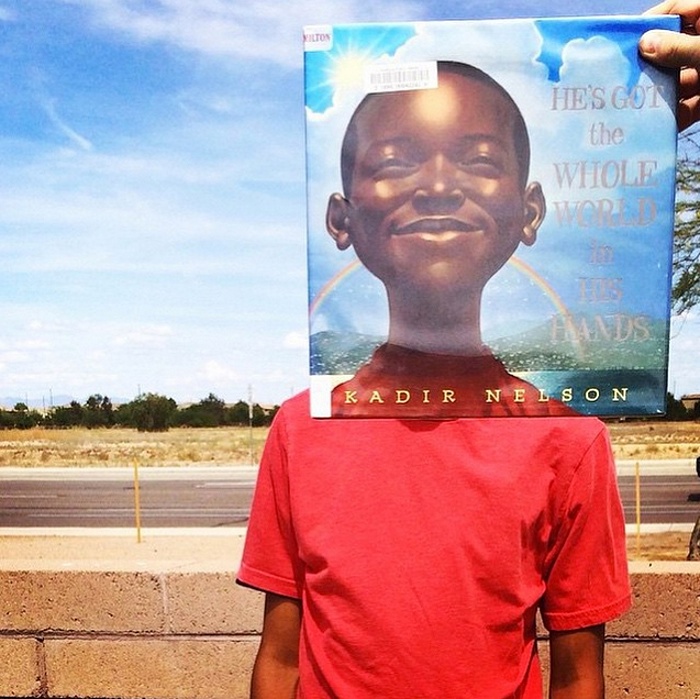
I think the Libba Bray one is particularly inspired too.
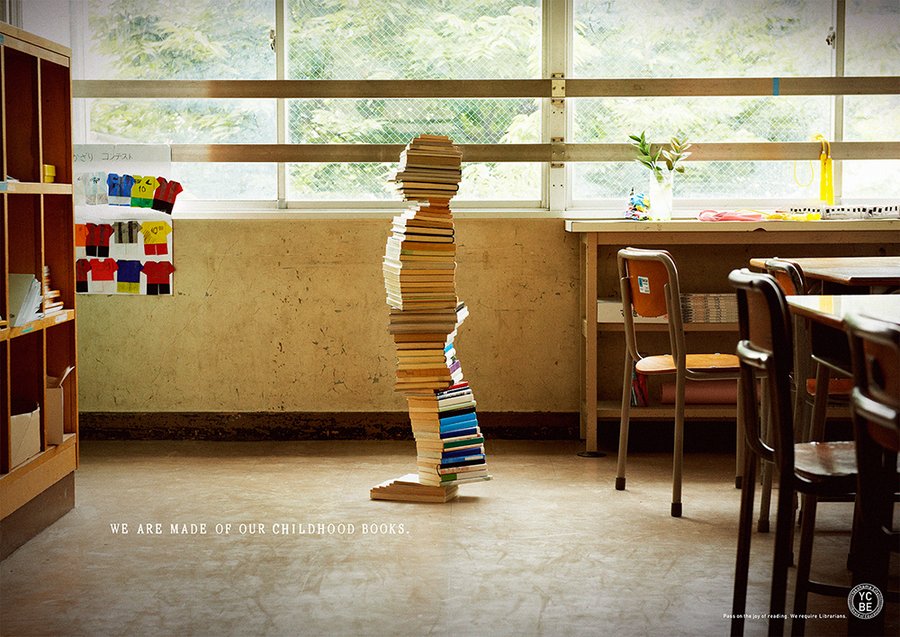
This . . . this looks like a lot of work. Whooboy. A lot of work. But super cool, you bet. Super cool. It’s kids made out of books:
 By: Debbie Ridpath Ohi,
on 8/3/2015
By: Debbie Ridpath Ohi,
on 8/3/2015
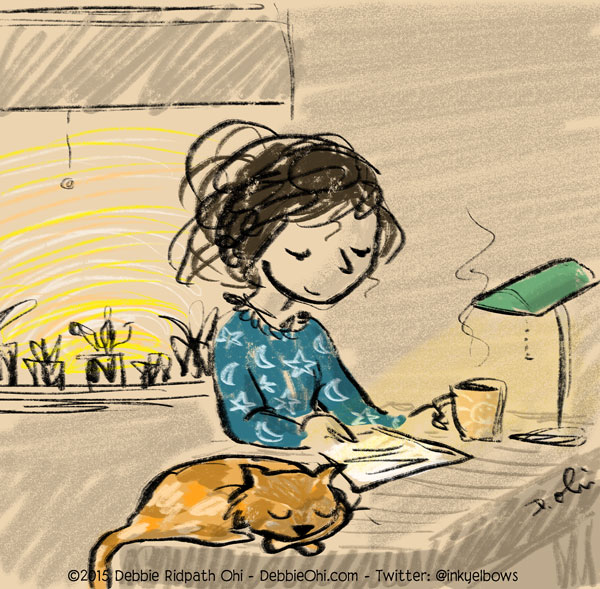 Morning writer.
Since I started getting picture book contracts (yay!) I've put my novel writing on the back burner. Then last summer at SCBWI-LA, I was talking with my editor at Simon & Schuster (Justin Chanda) about my middle grade novels and time management. Justin said that if my novel writing was important to me, I needed to set aside some regular time to work on it...no matter how much other work I had going on.
Absolutely! I said. I am SO going to do this. And yeah, well. I was right on top of that for a few weeks and then the reality of work deadlines plus personal commitments pushed my novel projects onto the back burner again.
I've since come to terms with this. I am having SO much fun with my picture book projects these days and things are very busy for me in a good way. To those who didn't know: I used to write nonfiction while I worked on middle grade novels; Writer's Digest even asked me to write a book for them. I met my wonderful agent because of my middle grade writing, through children's book writer, Lee Wardlaw; Lee critiqued one of my first MG novels (thank you, Lee!). The two middle grade manuscripts that Ginger and I sent out never found a home, though we got close a couple of times near the end. I could tell from the rejection letters that my writing was improving. I shelved the older mss and began working on new stories. One of my new manuscripts that never got sent out was nominated for the SCBWI Sue Alexander "Most Promising For Publication" Award; it didn't win but the nomination was encouraging; I could tell I was getting closer.
Then my picture book illustration career took off, thanks to the SCBWI and Simon & Schuster Children's. My heart is in picture books now, and I always want to help create them...I love this genre SO MUCH and connecting with the young readers continues to be one of my greatest joys.
There is still a part of my creative soul, however, that is still drawn to middle grade novels. I read middle grade constantly; not for market research but because I've always enjoyed reading them. It's okay that my novel writing on the back burner right now, but that doesn't mean I can't still keep writing! Even if it's only for a few minutes a day.
So I decided recently to get back on my own 250, 500 and 1000 Words A Day Challenge.
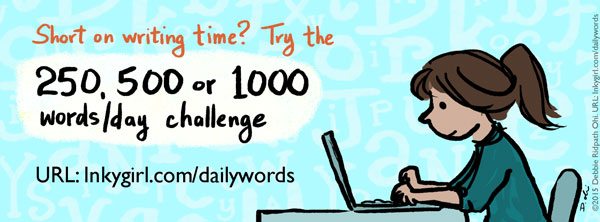
I created this challenge for those who are looking for extra motivation to get back into a daily writing habit but who also need some flexibility. Challenges like NaNoWriMo are wonderful (I've done Nano in the past and had great fun) but can sometimes be discouraging if, for whatever reason, you start falling behind.
Anyway, I have been trying something new which has been working pretty well, so I thought I'd share it. Here's what I do:
 I bought the iAWriter app for my Mac and iOS devices (iPhone, iPad) and use it for my daily morning writing ritual. I've played around with MANY note-taking apps on my iOS devices ever since the first iPhone came out, and this remains one of the favorites because of its minimalist approach.
No settings to fiddle with, which means I'm not as likely to procrastinate. I love the easy-to-read monospaced font.
I find using my iPad with my external keyboard works the best for this. Why not my Mac? Because I do most of my book illustration project work on my Mac, doing morning writing on a separate and very portable device helps deceive the "oh my gosh I can't work on my novel I need to get back to contracted paying work" part of my brain. Sounds stupid, I know, but I find it helps me focus. I can also take my iPad outside of the house at a moment's notice and work on my writing ANYWHERE.
When it comes to later revisions, I'll probably go back to my desktop computer so I can take advantage of the bigger screen space and two monitors. For a first draft, however, my iPad is perfect. I also tend to be the kind of writer who over-edits as she writes, and I'm finding that writing on a smaller screen encourages me to keep writing (editing is more of a pain). I know I will revise later.
 After I finish my session in iAWriter, I send the document to my Evernote account; happily, I can do this from within the iAWriter app. I know there are many other means of backing up my data and getting writing snippets to my desktop computer. I have tried many of them. This is the way that seems to work best for me, mainly because I don't need to open any other app that may possibly distract me. Did I mention that I'm easily distracted?
From the iAWriter app, I can share directly to Evernote and even choose the receiving project folder. I figure that I can always organize later on; I try to put a note at the beginning like "near end of book" etc. I also tend to write in scenes and snippets rather than from start to finish, and will organize them later. I *used* to write from start to finish but found that I tended to overedit and spend way too much time near the beginning.
I use Evernote for so much more, of course. Two of my favorite features: (1) with the paid version of Evernote, you can email anything to your Evernote account, and (2) when searching for a word or term in Evernote, the search will include any scanned documents...including business cards and handwritten notes (!).
 I also use the Day One app for my Mac and iOS devices. I've tried other journaling tools before but like Day One the best because of its super-simple interface without all the bells and whistles.
As with iAWriter, I'm drawn to the minimalist interface because it makes it very easy for me to just open and use, without being tempted to tweak settings.
I've been using the app to quickly record ideas and thoughts and character/title ideas as well as other personal observations, and I use tags (like "goals", "bookidea" etc.) so I can access them more easily later. One of my tags is "happy," by the way...whenever I'm feeling down, browsing all my "happy" entries always cheers me up. Another is "thanks", which I also try to use each day, to write down people and things and events I'm grateful for.
I also use the DayOne app to quickly snap photos, which is great for grabbing a reference photo for illustration, character idea, a friend's book I want to read, etc. You can only take one photo per entry, though. If you plan to do this a LOT, I'd recommend Evernote instead. Also, you can share DayOne photos/text to social media as well! I don't do this, though; I'm too worried about accidentally sharing a post that's meant to be private. :-)
I do love Scrivener, by the way, and use it for many of my book projects (more on this in a future post), but the lack of easy syncing across all my devices makes it tough to count on Scrivener for my daily writing exercise.
Do you have any tools or tips to share that you've found useful in your writing? Feel free to share them below.
Good luck with your writing!
By: Heidi MacDonald,
on 6/22/2015

Comic Blitz Founder Jordan Plosky on the floor of HeroesCon 2015
by Harper W. Harris
On Saturday, I got the chance to speak with Jordan Plosky, founder of Comic Blitz, a new comic app that operates much like Marvel Unlimited, only not just limited to Marvel. Although the company has only Valiant and Dynamite on board at this stage, they have plans to announce many more publishers’ comics being available via the app soon. Interested comics fans can go to ComicBlitz.com now to join the beta while it’s open. Here’s what Jordan had to say on the floor of HeroesCon.
HH: First I’ll let you take the lead and tell us what Comic Blitz is, how it got started, and what it’s all about.
JP: Sure. The easiest way to describe Comic Blitz is thinking about Netflix for digital comic books. So, as a customer you’d be paying one low monthly fee for access to all the comics we have on our platform. At launch, which is in the very near future, we’re going to have thousands of comics on board, you will literally have unlimited reading, there’s no way you could breeze through everything we have in one month. You’ll have unlimited reading for a very, very long time.
HH: So how does Comic Blitz plan to really differentiate themselves from other digital comics distributors?
JP: It’s great that digital has been the opposite of what everyone thought it was going to be, right? It was going to be the downfall of the industry, but it’s not, it’s been the greatest proponent for print since newsstands. Digital is the new newsstand. So what differentiates us from the other platforms out there today is the value proposition. So for $10 a month, for the price of one graphic novel you not only have access to an entire comic book shop, but you can read everything. You don’t have to choose with your wallet if you want to buy the latest Hawkeye book or read a Hawkeye book from the 70’s or something like that. When you’ve already paid your entrance fee, you have access to whatever we have. So the wallet doesn’t do the choosing; you just get to read and read and read as much as you’d like. You finish one issue? You can just tap a button that says read next issue and go straight from one to the next, you don’t have to go back to a menu, you don’t have to close open, open close, it’s just a seamless transition from issue to issue.
HH: So you guys are really trying to kind of implement binge reading into comics instead of having to de-bag and board or search through a box of single issues.
JP: Yeah, we think so. We’re not saying, “Don’t go out and buy the physical copies, don’t go out and collect.” We’re collectors, we do the same thing. But the convenience for just reading something, we find that digital is the most convenient way to do it. So you can have the issue ready and you don’t have to go dig it out of your longbox or something, risk bending or creasing it, you can read it digitally and know that your copy is tucked away safe in the box that you put it in and you never have to touch it again.
HH: That’s really cool–I hadn’t thought about it as being a supplement to your physical collection.
JP: This is like your new reader’s copy in a way. You get your collectable and then you have your copy you can read on your tablet.
HH: Tell us about what publishers and creators you’ve gotten involved so far and who’s on deck to be added to the app in the future.
JP: Right now as part of the beta test we have a selection of comics from Valiant Comics and Dynamite Comics. That’s kind of all we’re revealing at the moment is those two publishers, but it’s safe to say that we have much more content than the 18 titles we have in the beta test, from both of those, and as I’ve said, we’re going to have thousands of comics from several top ten publisher and several other reputable publishers. There’s going to be a lot of stuff that people might have seen in comic shops but maybe have already spent their weekly or monthly allowance on comics already before they can get to that other issue. You know, “Oh, I heard about that” or “that looks cool, but I already spent my $4 over here,” so people who are very aware of everything else that’s going on in comics that might have passed them by, this is a great way to catch up on all of that.
HH: I’ve heard myself say those exact words, missing something and then never really going back to read it, so I totally get that! So as far as Valiant and Dynamite go, will you guys have their entire back catalog as well as new issues, and how will that work?
JP: So there are different deals in place with every publisher that we have; some publishers we get their content one month after its released in print and other digital formats. Some publishers its three months, some wait until the trade comes out and we’re a month after that, so that way they get to sell their single issues and the trade and make the money their going to make, and then it comes on here and extends the life of that comic even more. Something that people might not realize if they’re not way deep into the comic industry is that there are no residuals, there are no syndication rights the way that movies and TV have. So if a movie comes out in a movie theater, does gangbusters there, then comes to Netflix and VOD, then its on cable and in syndication forever, they constantly make money on that. A lot of creators don’t see that kind of money, if they’re not making a comic every single month, if their trade doesn’t do well, they’re not making the kind of money that other forms of media are making. So something like this, if we are successful it means success for the entire industry because the publishers make the majority of the money that comes into this, and then if the publisher is making more money, they get to put more money into books, pay creators more, get more royalties to creators. It’s win-win for fans, publishers, and creators, for everybody.
HH: So you mentioned you guys are in beta right now. How can people get involved with the beta, and what does that give them access to at this point?
JP: If you go to ComicBlitz.com, there’s a link right there to sign up for the beta test and we’ll send you a link for the beta. It will be closed after a certain amount of people sign up, I’m not sure how many spaces will be left by the time your readers see this, so sign up as soon as possible if you’re interested in doing the beta test. What you’re going to find is sort of a bare bones product, in the tech world it’s called an MVP (minimal viable product) just to see like, these are people that are interested in this, they can give us some feedback as to what they might want to see in a digital comic reader before we start building things that nobody wants and we get their feedback on the the things that we’ve already implemented as well. So you get to read the comics for free, there’s no commitment to buy it after we go live, but obviously we’re hoping you’re going to like it enough to sign up for a subscription and keep reading digital comics with us.
HH: This sounds really cool…I’ve gotten a chance to check out the beta here at HeroesCon and it looks very nice. Do you have an official launch date for the app at this point?
JP: Yes, we’re setting up at Boston Comic Con, so that’s July 31-Aug 2nd, we’re going to have a booth there and that will be our official launch, so about six weeks from now.
HH: I’ll be really excited to see what you have coming up next and to see how the app continues to grow!
JP: We’re excited to unveil it, excited to be able to let people know that we’ll have more than the 18 titles available in the beta. Hopefully people will be surprised and excited for what we have to offer them when we do launch. Thanks!
By: Beth,
on 6/16/2015
What do you expect to happen when you shut 25 teens in a room for an entire rainy Saturday? I wasn't sure when I arrived at Skokie Public Library at 9:00am on May 30 for their first ever Community Appathon, even though I'd attended several planning meetings. The event was inspired by the National Day of Civic Hacking and spurred into being by a library patron (Maker Mom Kim Moldofsky) and her teenage son. A skilled coder, he'd attended an adult-oriented hackathon and found that a 36-hour event doesn't mix well with curfew. The goal of the appathon was to gather teens interested in developing, designing, and civic service to prototype apps to meet the community's needs.
 The event ran from 9:00am to (slightly after) 6:00pm. We began the day with a State of Skokie talk that addressed many of the issues highlighted at a recent series of town hall meetings, followed by a brainstorming session to develop ideas to address those issues. Highlighted issues include safety, connectivity, diversity, environmental sustainability, the difficulty in finding information about local events, the need for an image makeover, and a need to be more pedestrian friendly. The teens then broke out into teams of five to create their apps. Three library staff and Kim acted as facilitators throughout the day: keeping everyone on schedule, serving food (bagels, fruit, pizza, popcorn and cookies), and offering assistance as needed. At the end of the day, each team presented their app to the whole group. All the teens (plus a last-minute group of teen volunteers) voted on the best one.
I came in with very little knowledge of coding. I've played with programs Scratch and App Inventor and prototyping software Fluid Ui enough to be able to talk about them. The self-identified teen coders were way beyond App Inventor. A few of the teens knew less than I did, but had design or other relevant skills. Skokie Public Library's webmaster was on hand to mentor them with coding issues, and several advanced teens helped the others periodically throughout the day, as well. SPL's teen librarian introduced teens to the art of the elevator pitch to help with their final presentations. My roles were to conduct a brief presentation on team selection, assist with user testing and design questions, and find answers to the inevitable, "Do you have an extension cord?" type questions.
 The turnout, 25 teens, made the event a success. Coverage in the local paper may have boosted participation. Promotion at the local schools and word of mouth most definitely did. We were also able to entice them by offering a treasure trove of donated prizes. Local restaurants like Meatheads and tech companies like GitHub and Lenovo were eager to participate. Google even donated two chromebooks. One was awarded to the MVP of the day, as chosen by the teens, and the other was put into a random drawing along with the stickers, magnets, USB extenders, and other goodies. Each team also received a set of five matching prizes, so that no one went home empty-handed.
Participants were highly engaged and seemed to enjoy themselves. They worked independently of the staff for much of the day. One group took the initiative to send some of its members out into the community to talk with nearby business owners to gauge their interest and get their feedback on their app. In the end, all five teams completed working prototypes of their apps.
 A few basic supplies were necessary to keep the program running. While most teens brought their own computers, we had several on hand for those that may not have their own. All of them ended up getting used. In addition to laptops, we also made sure to have plenty of power strips and extension cords. These also all got used as the teens' laptop batteries began to fade. For brainstorming and planning we had lots of pens, post-its, poster pads and markers. Various apple and android devices were on-hand for user testing, but didn't get used.
We identified a few areas to improve for future appathons. Several groups focused on similar problems like connectivity, image and finding information about local events, while no one worked on diversity, environmental sustainability, safety or pedestrian-friendliness. To remedy this, we might have participants vote on the top issues or ideas, and then form groups based on the top 5. Since the event also ended up running over its allotted time, it might work to extend it through dinner (more pizza!) or limit presentations to just 1 or 2 minutes, then time them to make sure they don't run long.
Click here for a video summary of the Community Appathon.
By: ALSC Children and Technology committee,
on 6/12/2015
Stop motion is an animation technique “to make a physically manipulated object or persona appear to move on its own. The object is moved in small increments between individually photographed frames, creating the illusion of movement when the series of frames is played as a continuous sequence,” (from Wikipedia). So, like Wallace and Grommet but, in our case, DIY and low-budget. I planned a stop motion program as a way of engaging tweens with the new set of iPads the Wellesley Free Library received thanks to a grant from the Wellesley Media Foundation. Tweens are a difficult audience to capture with technology programs, and after an unsuccessful QR code scavenger hunt, this seemed to be a fun idea that would attract tweens and leave them with new skills in using technology.
As I have written before, I am not the most technologically savvy of the new generation of children’s librarians. So I am always looking for a program idea where I can learn along with the kids, rather than needing to have prior knowledge or expertise. This hit the nail on the head. And it was fun too!
Here’s how it worked:
-I used Stop Motion Studio, a basic free app for iPad, iPhone, or iPod touch. If your library has any of these devices, you can pre-load the app beforehand. Otherwise, kids who have their own personal devices may use these. Don’t worry if you do not have a large number of devices to use, because this is an activity that lends itself to working in teams. Having one device for every four kids is not only completely reasonable logistically, it also builds teamwork and collaboration. Kids will enjoy creating a story together, and taking turns playing different roles in the process.
-Next is the fun part: gathering the materials. What you need are basically toys, toys, and more toys. Working in a library that values play as an important practice for building early literacy skills, I have access to plastic animals, plushy body organs, dolls and doll house furniture, puppets, vehicles, wooden food, blocks, LEGOs, playdough, and much more. I’m sure most of you have a similar treasure trove at your fingertips. I gathered this all together along with an assortment of craft supplies, paper, and markers.
-When the participants arrived, I gave them a brief tutorial of the app. Because we were using the basic free version, we did not have access to all of the extra features which can be purchased within the app, such as sound effects, movie themes, and the ability to import images. But for a beginner class lasting only an hour, simple was fine. Some of the kids had made stop-motion videos before using the Nintendo DS, but none had used the app. They picked it up in no time. The free version of the app does include a function to change the speed of the video, and the ability to have the previous photo appear as a translucent image in the background of the camera finder, in order to more precisely see the minute change in each frame. These features were very helpful in creating the videos.
-Next I explained the concept of story-boarding, and encouraged the participants to plan out their frames before executing the video. Then they collected supplies and began to take pictures. In the end, we shared our videos with each other. The three who chose to share their video through the library’s Youtube channel can be found here: https://www.youtube.com/playlist?list=PLEE6nkJzxnsQCemP82YXmZfLVhYE8uEzy
Overall summary: Tweens enjoyed this fun and simple program, learned new skills on devices with which they were already somewhat familiar, and left with a sense of pride about their creations which some chose to share with the public through Library social media channels. The program’s success is determined greatly by the variety and whimsy of the materials you provide for making the videos.
Skills developed and strengthened: working using a tablet, digital photography, animation, story-boarding, working as a team.
Cost: $0
What programs have you done to engage tweens in technology? What has worked in your community?
The post Engage tweens with technology through Stop Motion Videos appeared first on ALSC Blog.
Lately, I've been using Trello a lot at work to track tasks and projects. As often happens when I'm using cool software, I automatically consider how it can be used to improve my writing process. Turns out that with a little creativity, Trello can easily be adapted to be anything you want.
I guess I should start at the beginning. What is Trello? Trello is a task management system, which is a fancy way of saying it's a way to manage your To Do list.
Trello is set up like a bulletin board where you pin cards with each task into a list. Typically, you might have three lists: To Do, Doing, and Done. When you start working on one of your To Dos, you move it to Doing, and when it's completed, you move it to Done.

 By: Beth,
on 5/20/2015
By: Beth,
on 5/20/2015

Title: PhotoMath
Platform: iOS and Android
Cost: Free
From WordLens (now part of Google Translate) to Invisibility 3D, apps which use the camera as an input tool to harness machine intelligence always interest me. When one such app, PhotoMath hit the top of the download charts last year, there was some minor outcry among educators. Would students use the app to cheat? But while the PhotoMath app reads and solves mathematical problems by using the camera of your phone and tablet in real time, it is far from the scourge of math teachers. Like Wolfram Alpha, it is a nice tool to have on hand when you can't remember enough math to help students with their work.

Within the app with an active camera, you can manipulate the size of the datawell to pick up the whole of more complicated questions, and the app solves advanced math problems including quadratic equations and inequalities. The app goes beyond solutions, anticipating the admonition to "show your work." A red button opens the step-by-step process for doing just that.

You can flag incorrect answers, and updates build upon the errata to produce a more robust tool.
The app has its limitations. It can only scan printed text, so it won't work on a teacher's handwritten equations. And, given the push towards more constructivist assignments and the intuitive mathematical understanding embodied by the Common Core, I don't see it as a tool for cheating beyond the solutions which math textbooks have been including for decades. Y
Have a suggestion for a featured App of the Week? Let us know. And don't forget to check out more great apps in our archive.
By: Jerry Beck,
on 5/3/2015


Nice to see Kate Beaton’s books in the Guardian article, and the others look great too.
(And writing Giving Tree parodies is like shooting fish in a barrel, because the original book was so blind to the scenario it was setting up!)
How much do I love bookfaces! They’re the best. Thanks for the shout-out Betsy, hope your move is going smoothly!